Last checked: 9 October 2026
The short answer: Cl@ve is Spain’s single login for online government services: the tax office, Social Security, appointment booking, school applications and the GVA+Salut health app. The digital certificate (certificado digital) from the FNMT goes further and lets you sign documents online. As a foreign resident, you can register for Cl@ve with your NIE and residence card by letter, in person, or instantly if you already have a digital certificate. Most people here end up with both.
Key facts
- Cl@ve has three ways to log in: Cl@ve Móvil (approve a notification in the Cl@ve app), Cl@ve PIN (a short-lived code for occasional use) and Cl@ve Permanente (a lasting password for frequent users). (administracion.gob.es)
- Registration comes in two levels. Basic is quick but doesn’t open every service. Advanced needs your identity checked, and is required for signing with Cl@ve and for Cl@ve Permanente. (administracion.gob.es, same page)
- To register, foreigners need their NIE, a residence document (TIE, EU registration certificate or residence permit), a passport, a mobile number (Spanish or foreign) and an email address. (administracion.gob.es, same page)
- Registering through a video call in the Cl@ve app is currently only open to Spanish citizens with a DNI. (administracion.gob.es, same page)
- The invitation letter for online registration is posted to the address the tax office (Agencia Tributaria) has on file for you. Its 16-character code (CSV) expires after 60 days. (Agencia Tributaria)
- The FNMT digital certificate is free. Registering for Cl@ve is free too.
Within a few weeks of arriving, you’ll start hitting a wall of online forms that ask you to “identify yourself with Cl@ve or a digital certificate”. It’s the key to booking appointments, applying for school places, checking your tax and seeing your health records without queuing at an office. Setting it up takes a little effort once, and saves a great deal of it afterwards.
Cl@ve or digital certificate: which do you need
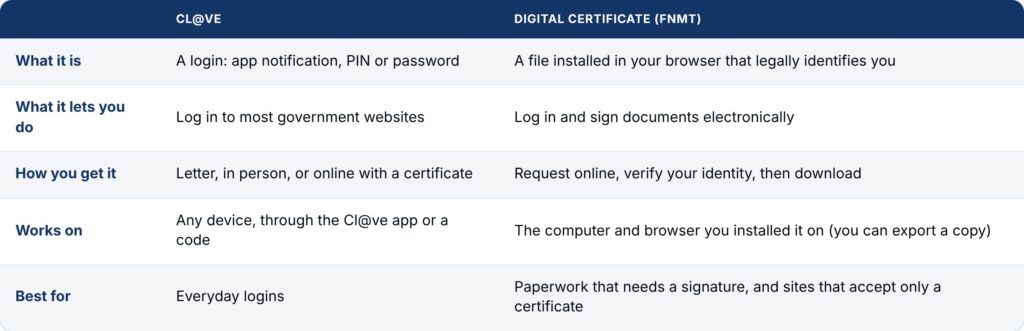
Some procedures accept only Cl@ve, some only the certificate, and many accept either. That’s why most residents get both.
How to register for Cl@ve as a foreign resident
Whatever route you take, have these ready: your NIE, your TIE or EU registration certificate, your passport, a mobile number and an email address. Each NIE can be linked to only one mobile number.
- Online with a digital certificate (fastest). If you already have an FNMT certificate, register online at the Agencia Tributaria and get advanced registration straight away.
- Online with an invitation letter. Request it at clave.gob.es with your NIE and the número de soporte, the support number printed on your TIE or residence document (not your NIE). The Agencia Tributaria posts the letter to the address it has on file for you. When it arrives, enter the 16-character CSV code within 60 days, plus your mobile and email. This gives you basic registration.
- In person. Go to a Cl@ve registration office, such as an Agencia Tributaria or Social Security office, with your NIE, residence document and passport. Some offices need an appointment. You leave with advanced registration.
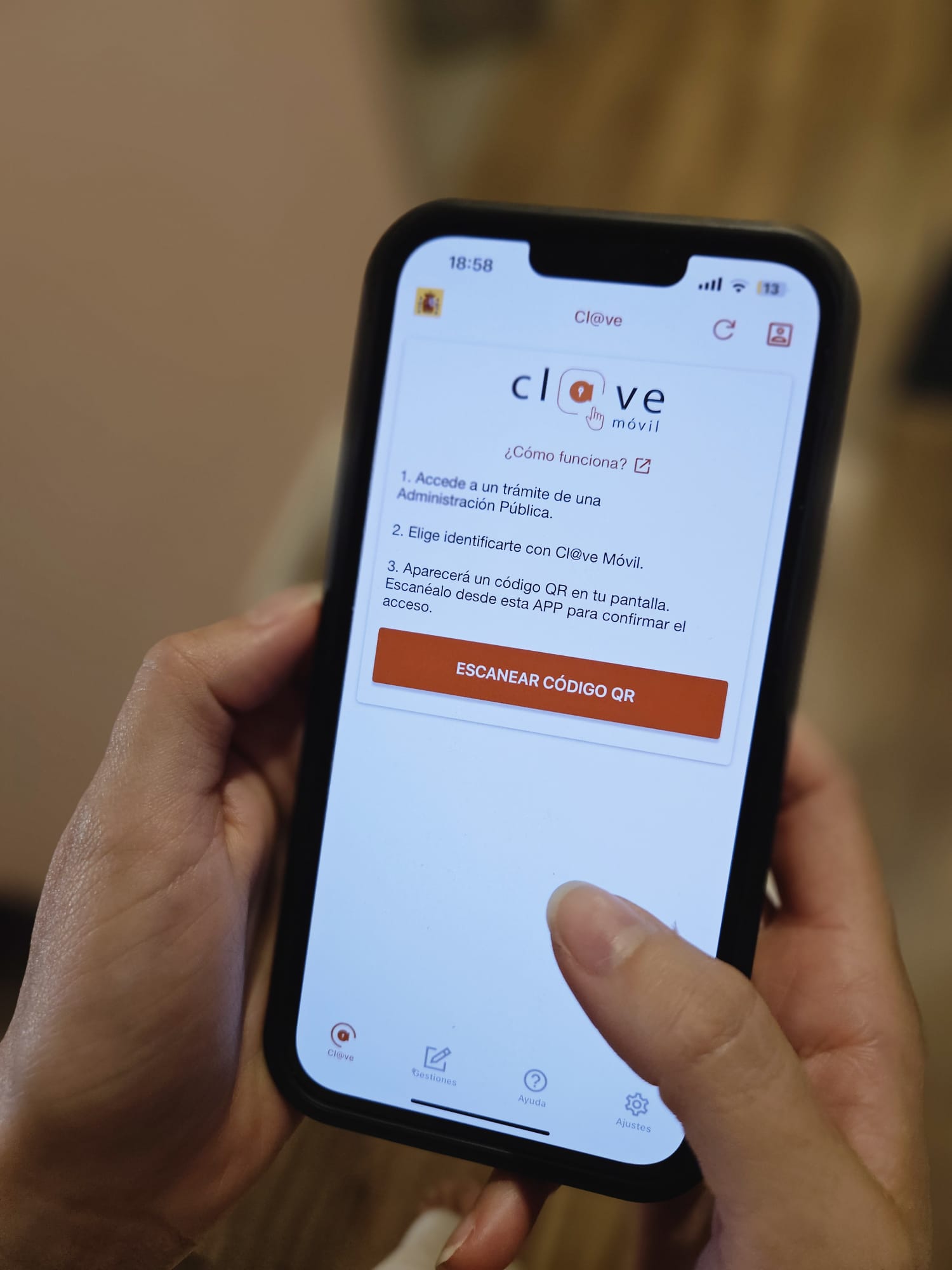
Once registered, download the Cl@ve app to use Cl@ve Móvil, which is the simplest way to log in day to day.
If you’ve just arrived: the letter route only works if the tax office already has an address for you. If you haven’t dealt with the Agencia Tributaria yet, registering in person, or getting the digital certificate first, is usually quicker.
How to get the FNMT digital certificate
- Request a code. At sede.fnmt.gob.es, go to Certificados ? Persona Física and enter your NIE and first surname exactly as they appear on your document. You’ll get a request code by email.
- Prove your identity. Either book an appointment at an accreditation office (Agencia Tributaria, Social Security and some town halls), bringing your passport and residence card, or use the FNMT’s video identification from home. Video identification has a small fee; the office route is free.
- Download the certificate. Use exactly the same computer and browser you used to request the code. Switching devices halfway through is the most common reason it fails.
Once it’s installed, export a backup copy with a password and keep it somewhere safe. You’ll need it if you change computers.
FAQ
Spain’s single login for online government services. You use it through the Cl@ve app, a one-off PIN or a permanent password.
Yes. You need your NIE, a residence document such as the TIE, your passport, a mobile number and an email address.
The número de soporte is printed on your TIE or residence document. It’s different from your NIE, and online registration asks for both.
Cl@ve lets you log in. The digital certificate lets you log in and also sign documents electronically.
It comes by post to the address the tax office has for you. Once it arrives, you have 60 days to use the code.
Yes. The certificate is free. Only the optional video identification has a small fee; verifying your identity in person costs nothing.
Related guides
- New in Valencia: Guides for Settling In
- NIE vs TIE: What They Are and How to Get a Cita in Valencia
- Moving to Valencia: Your First 90 Days, in Order
Set up Cl@ve the week your TIE arrives, and the digital certificate soon after. It’s one afternoon of admin that turns dozens of future office visits into a few clicks at home.